
Saturation
Emberlight
Saturation that shows you every harmonic it adds.
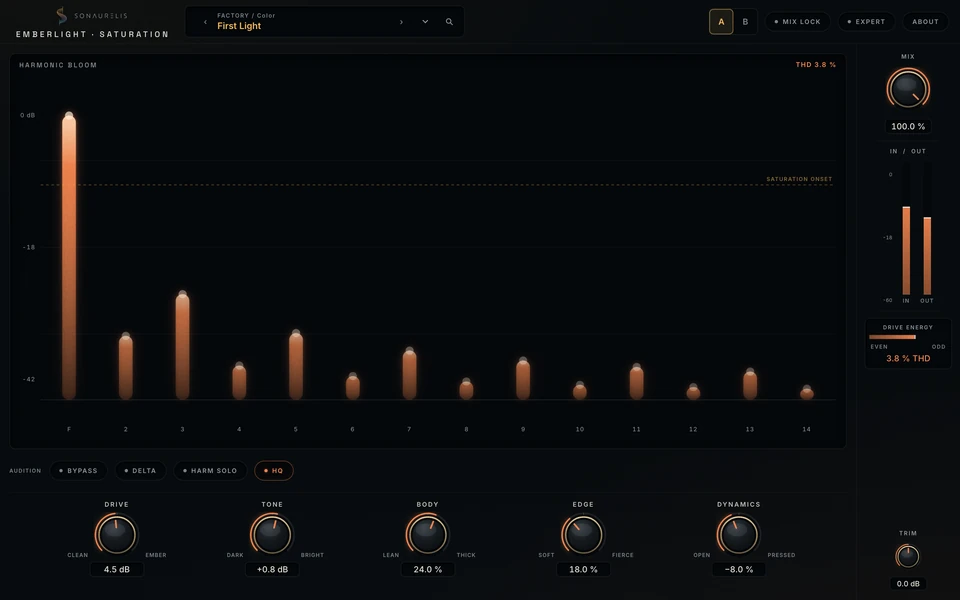
Add saturation while watching the harmonic spectrum, from the fundamental through the fourteenth harmonic. Adjust the circuit character and see how the balance changes.
The display
See the harmonics you add.
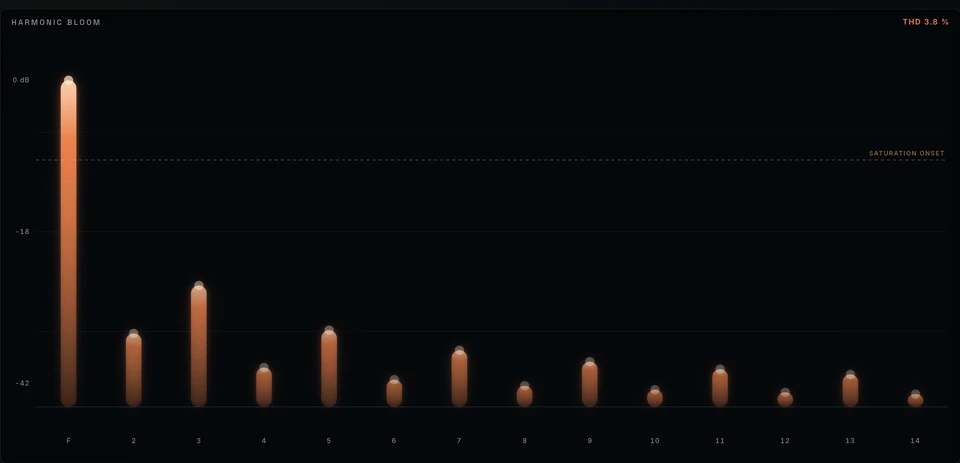
Each column shows a harmonic in the output. Watch the balance of odd and even harmonics change as you adjust Drive and Bias.
A gold onset line marks where saturation begins, with total harmonic distortion shown alongside it. Hover a column to read its harmonic number and level.
- Five original families: Clean, Warm, Tube, Iron, and Magnetic
- Odd and even structure visible at a glance
- A gold onset line marks where clipping actually begins
- Live and Studio oversampling profiles with measured latency
Controls
Drive, Tone, Body, Edge, and Dynamics shape the saturation. Double-click the value beneath a knob for precise entry.

DriveClean ↔ Ember
How hard the signal leans on the circuit.
ToneDark ↔ Bright
The tilt of the color being added.
BodyLean ↔ Thick
The weight the saturation puts under the mids.
EdgeSoft ↔ Fierce
How gently or abruptly peaks give way.
DynamicsOpen ↔ Pressed
How much the drive levels the signal as it colors it.
Expert controls
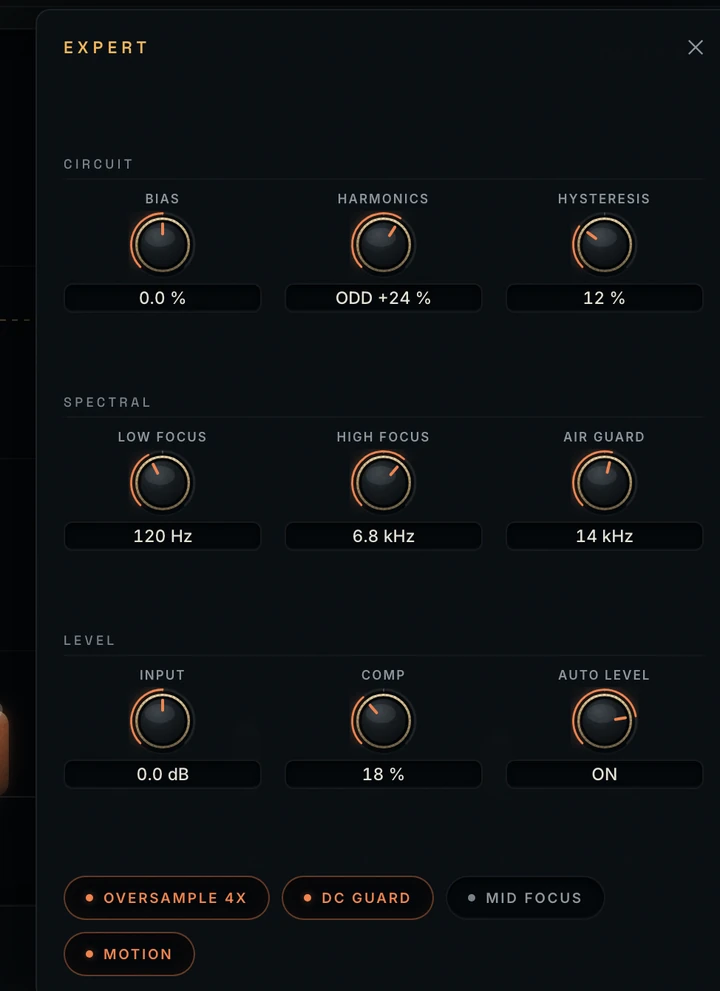
Circuit and spectral controls.
- Circuitbias · harmonics · hysteresis
- Spectrallow focus · high focus · air guard
- Levelinput · comp · auto level
Expert controls stay available for automation and presets.
Metering
Measure the distortion.
The signal rail shows drive energy, the balance of even and odd harmonics, and a live total harmonic distortion percentage.
- Platform
- macOS · Apple Silicon
- Formats
- Standalone app · AUv2 · VST3
- In Logic
- Manufacturer: Sonaurelis
- Session support
- Presets · automation · host recall
- Window
- 1024 × 640 minimum · resizable
- Privacy
- no cloud · no accounts · no telemetry