
Reverb
Starveil
Reverb whose decay you sculpt by frequency.
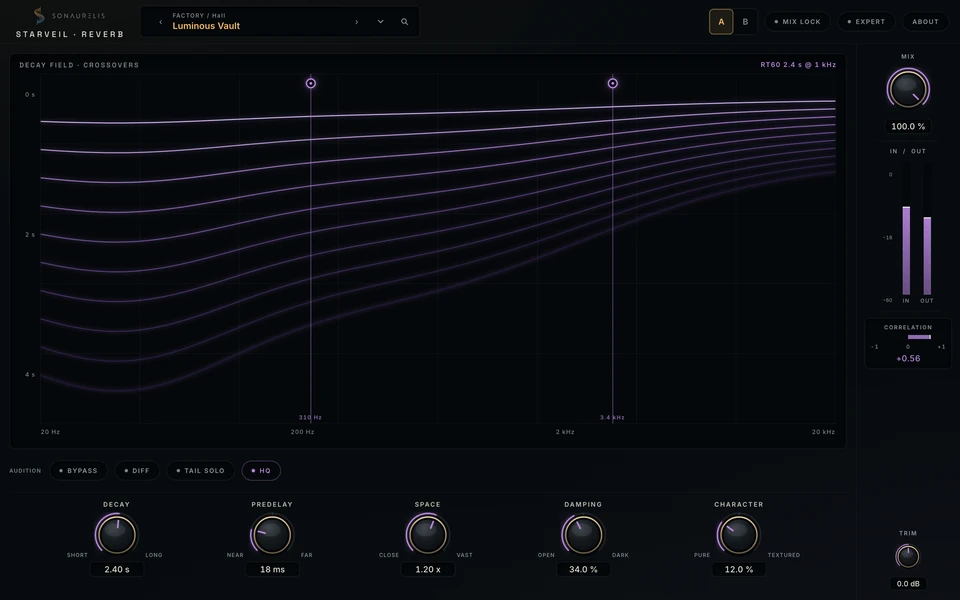
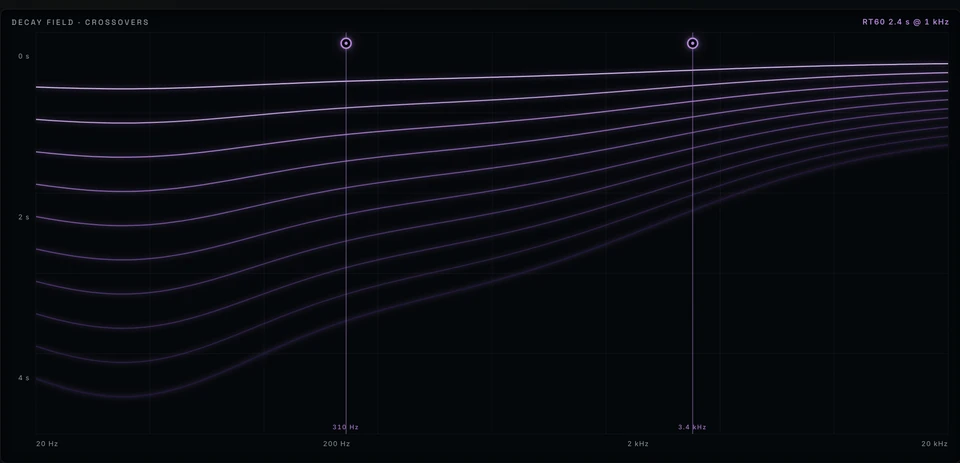
See how long different frequencies ring. Move the crossovers to change the low and high decay, then use the probe to read reverb time at any frequency.
The display
Shape the decay by frequency.
The violet field plots decay time against frequency. Two crossover handles divide the spectrum, so you can lengthen the lows or damp the highs where the source needs it.
Hover the field to read the measured reverb time at that frequency, such as RT60 2.40 s @ 1 kHz.
- Decay time drawn against frequency, as one continuous field
- Two crossover handles with live Hz readouts
- RT60 probe at any frequency you point at
- Center-zero correlation meter on the rail
Controls
Adjust Decay, Predelay, Space, Damping, and Character. Double-click a value to enter it precisely.

DecayShort ↔ Long
How long the space rings.
PredelayNear ↔ Far
How far the room sits behind the dry signal.
SpaceClose ↔ Vast
The apparent size of the field around the source.
DampingOpen ↔ Dark
How quickly the top end dies away as the tail rings.
CharacterPure ↔ Textured
From clean and transparent to a tail with audible grain.
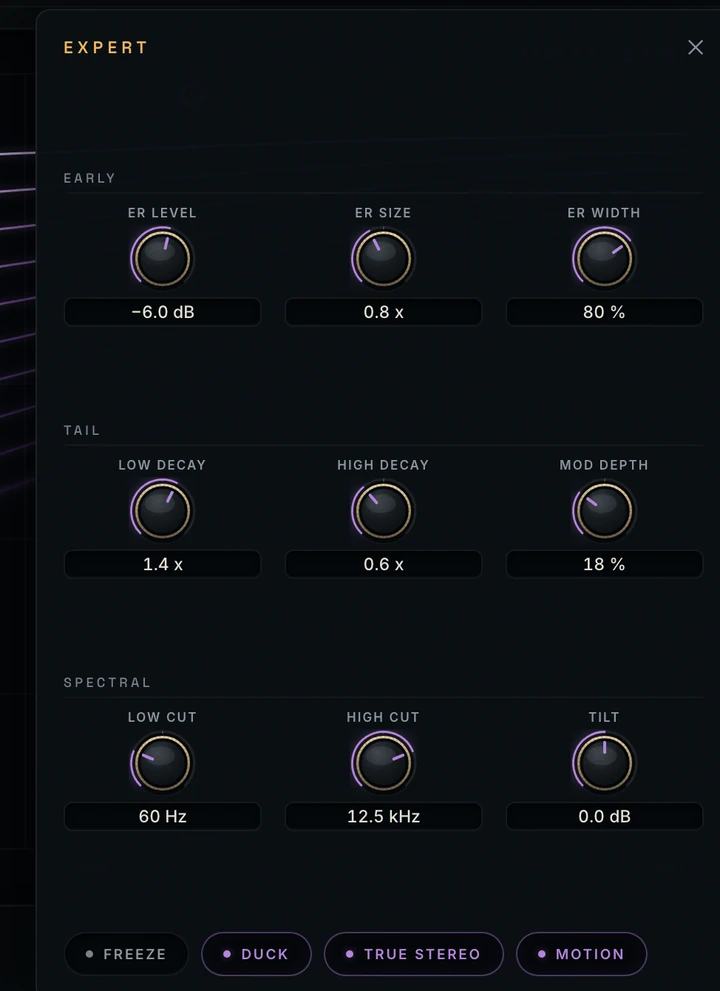
Expert controls
Early reflections, tail, and spectrum.
- Earlylevel · size · width
- Taillow decay · high decay · mod depth
- Spectrallow cut · high cut · tilt
Expert controls stay available for automation and presets.
Metering
Check stereo correlation.
The correlation meter runs from −1 to +1 with a live numeric readout. Check mono compatibility as you adjust the width of the tail.
- Platform
- macOS · Apple Silicon
- Formats
- Standalone app · AUv2 · VST3
- In Logic
- Manufacturer: Sonaurelis
- Session support
- Presets · automation · host recall
- Window
- 1024 × 640 minimum · resizable
- Privacy
- no cloud · no accounts · no telemetry