Recording & mixing app · macOS

Studio 48

A 48-channel console, on your Mac.

Record, arrange, and mix on a full desk with its own voice. Gravitywell, Starveil, and Timewake live on every channel, and each channel’s EQ can sit anywhere in its chain.

Free for a limited time

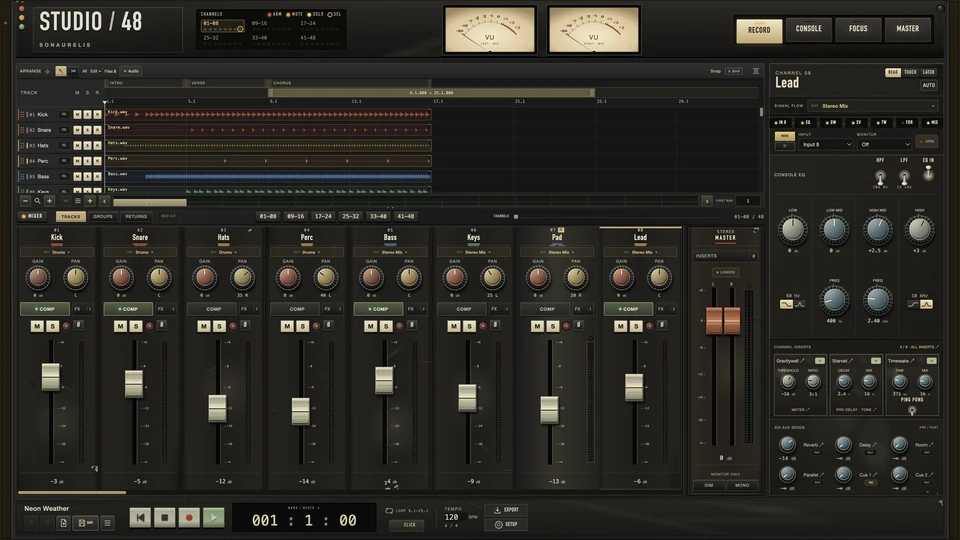
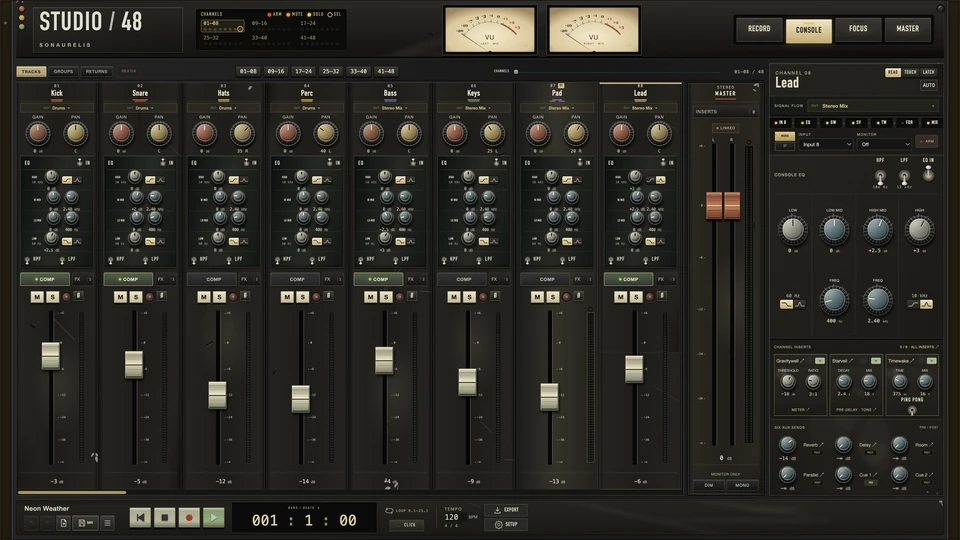
Studio 48 Console view: eight channel strips with gain, pan, EQ and faders, the stereo master, VU meters on the meter bridge, and the channel inspector
Interface capture · Studio 48 0.9.1, Console view · stopped, meters at rest

The film

Forty-five seconds at the desk.

A launch cut, music only. Press play for sound.

Studio 48 launch film · 0:45
On-screen text, in order
  1. Gain · Pan
  2. VU · Left mix
  3. Console EQ · 4 bands
  4. Faders
  5. Studio / 48
  6. 48 channels. 4 stereo groups · 4 shared returns · 6 aux sends
  7. Ride the faders. Touch. Latch. Automate.
  8. 4-band EQ on every channel.
  9. Sonaurelis processors: Gravitywell, Starveil, Timewake. Built in.
  10. Record. Edit. Arrange. Non-destructive.
  11. A desk voice on every path. Channels · Groups · Returns · Master
  12. Print the mix. Stereo groups · Master EQ · Measured prints
  13. Built-in MCP, local: your agents can mix too.
  14. Record. Mix. Master. Print.
  15. Studio / 48 — Recording & mixing workstation · macOS · Apple silicon

The desk, counted.

  • 48 TracksMono, or stereo from any two inputs
  • 4 Stereo groupsLinked or independent faders
  • 4 Shared returnsSix aux sends on every channel
  • 2 Cue mixesPre- or post-fader
  • 8 InsertsPer channel, in any order

The tour

Four views. One desk.

The same four keys sit on the app’s meter bridge. Each opens a whole room of the desk.

Record

Track and mix on one screen.

The arrangement sits above the mixer, so arming a track, setting its level, and watching the take land happen in one place. Pick any input for a mono source, or any two for stereo — they don’t need to be neighbours.

  • Takes stored raw at 48 kHz
  • Split, trim, fade, crossfade, sections, loops
  • Touch and Latch fader writing
Studio 48 Record view: arrangement of eight tracks above the channel strips, with the channel inspector at right
Interface capture · Studio 48 0.9.1, Record view · stopped

Console

Every channel, a full strip.

Gain, pan, a four-band console EQ with high- and low-pass filters, compression, six aux sends, and a long fader with Mute, Solo, Arm, and polarity. Groups and returns are full stereo strips with linked or independent faders.

  • Meters read measured post-fader level
  • OVER lamps latch at 0 dBFS sample peak
  • Mono and stereo sources on one desk
Studio 48 Console view: eight channel strips with their EQ sections, the stereo master fader, and the channel inspector
Interface capture · Studio 48 0.9.1, Console view · stopped

Focus

The whole chain, as a rack.

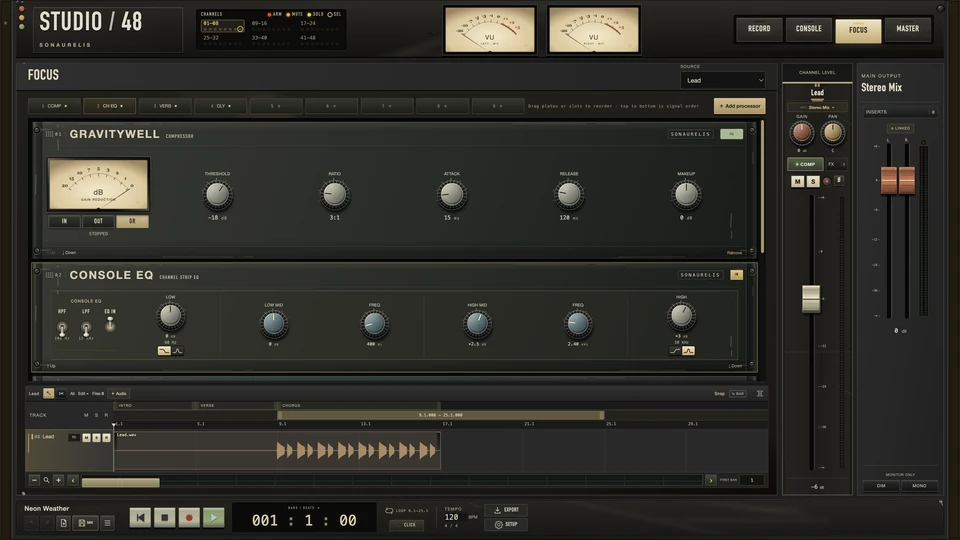
Focus stacks one channel’s processing top to bottom, in signal order, beside its fader and its own track lane. Drag a faceplate to put the EQ before the compressor, between reverb and delay, or after everything.

  • Up to eight inserts per channel
  • Stack extra Console EQ units
  • Scroll over any knob to turn it; Shift for fine
Studio 48 Focus view: Gravitywell Compressor and Console EQ faceplates stacked in signal order above the Lead track lane
Interface capture · Studio 48 0.9.1, Focus view · stopped

Master

Finish on the stereo bus.

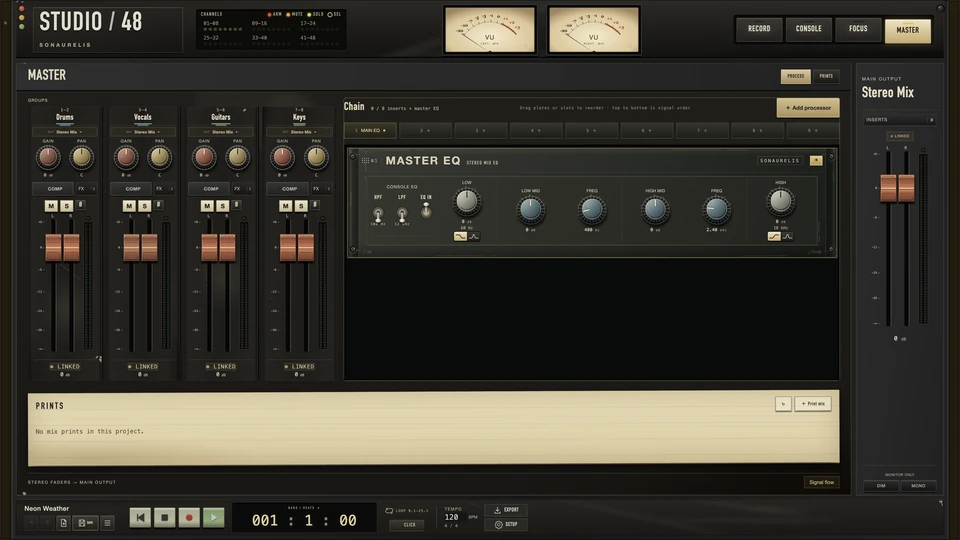
The four groups, the master chain, and your prints share one page. Every print renders through the same desk the mix plays through, and keeps its own copy of the session.

  • 48 kHz, 32-bit float stereo WAV
  • Peak, RMS, integrated LUFS, and L/R correlation, measured per print
  • A listening note saved with each print
Studio 48 Master view: four stereo group strips, the Master EQ faceplate in the master chain, and the prints panel
Interface capture · Studio 48 0.9.1, Master view · stopped

The processors

Sonaurelis cores, on every channel.

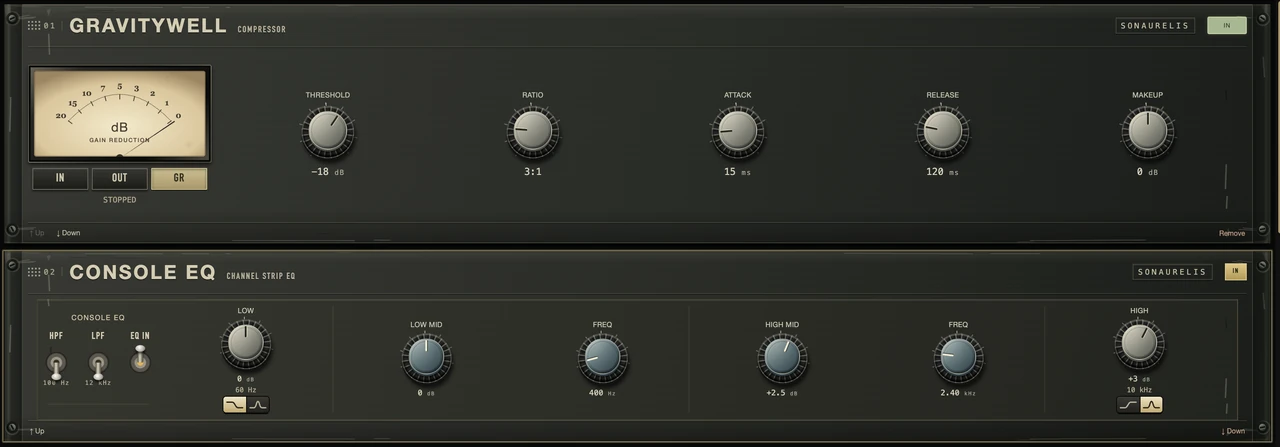
Gravitywell Compressor, Starveil Reverb, and Timewake Delay run the same processing cores as the plugins, with compact faceplates made for the desk. The Console EQ is a unit in the chain like any other: move it, or stack more.

Gravitywell Compressor faceplate with its gain-reduction meter and five knobs, stacked above the Console EQ faceplate with filters and four bands
Interface capture · Studio 48 0.9.1, Focus view detail · two faceplates in signal order

Console voice

It has a sound. There’s no bypass.

Every channel, group, and the master pass through a saturation stage that adds harmonics as you drive it and stays out of the way at nominal level. The dry path is never filtered, so the top end stays open.

The voice is part of the desk, not a plugin. Input gain is how you push it.

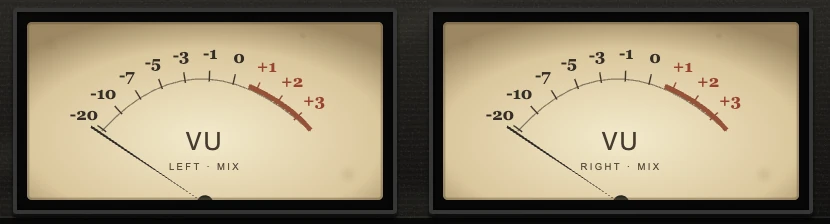
The two VU meters from the Studio 48 meter bridge, needles at rest
Meter bridge · interface capture, at rest
Measured through the app’s engine, track to master
At −18 dBFS0.45% distortion
At −6 dBFS3.8% distortion
Mids, track to masterFlat
60 Hz and 16 kHz+0.9 dB · broad shelves
Pan law−3 dB constant power · unity at centre

Measurements describe the circuit. They are not a listening test.

It stays on your Mac.

  • Your media stays put.

    Imports are copied into the project and originals are never changed. Saves are atomic, with recovery snapshots and checkpoints.

  • No accounts. No cloud.

    No sign-in, no telemetry, no uploads. Projects live on your Mac.

  • One gesture, one Undo.

    A fader ride, a pasted EQ, or a whole-strip copy comes back in a single step.

Specifications

On the plate.

Studio 48 is a standalone app for Apple-Silicon Macs. It does not host third-party plugins.

Platform
macOS 14 or later · Apple Silicon
Engine
48 kHz · 32-bit float
Channels
48 tracks · 4 stereo groups · 4 returns · 2 cue mixes · stereo master
Inputs
Up to 24 · mono, or stereo from any two
Processing
Console EQ on every channel · up to 8 inserts · Gravitywell, Starveil, Timewake, and Console EQ units
Automation
Fader and pan lanes · Touch and Latch fader writing
Export
Stereo mix · 48 kHz, 32-bit float WAV · measured loudness
Assistants
Local MCP server on your Mac · no cloud connection
Not yet
Third-party plugins · MIDI · time-stretch · final limiter and true-peak meter
Status
Free for a limited time · version 0.9.2

Free for a limited time

Download Studio 48.

0.9.2 · macOS 14 or later · Apple Silicon · 136 MB

  1. Open the downloadDouble-click Studio-48-0.9.2.zip. If your browser has not already unzipped it, this does.
  2. Drag to ApplicationsMove Studio 48 into Applications. To remove it later, drag it to the Trash.
  3. Open itmacOS asks once whether to open an app downloaded from the internet.

Signed and notarized by Apple. Studio 48 opens like any trusted Mac app.

SHA-256 ac2d15b873ac9c6557e7800116bf50a8fcc5d4e437454477bdf1016435ca1273 · Checksum file

Interface detail

Still interface preview · no audio processing