
Compressor
Gravitywell
Set compression against the signal in front of you.
A live transfer curve shows input energy and gain reduction together. Place the threshold, shape the knee, and watch how the compressor responds.

The display
Set the threshold on the curve.
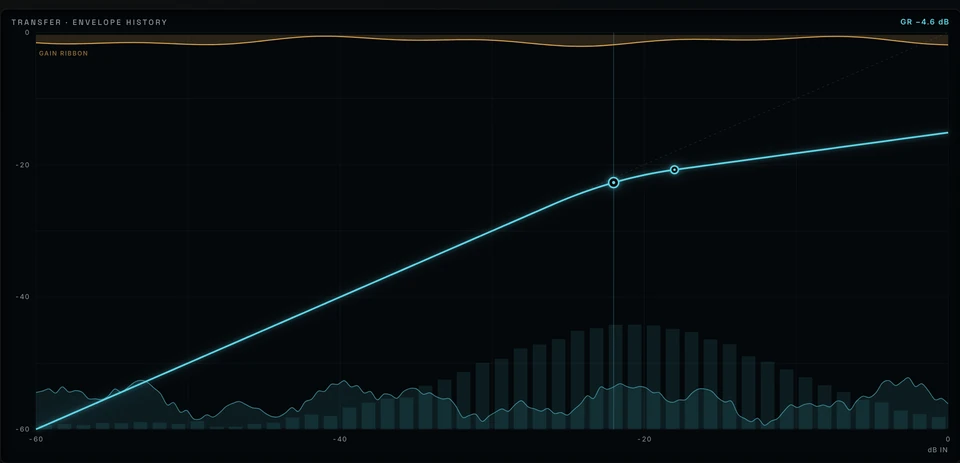
The transfer curve plots input against output on a calibrated −60…0 dB grid. Drag threshold and knee directly on the curve. The input histogram shows how much of your signal sits above and below the threshold.
The gain-reduction ribbon and envelope history show the compressor’s response over time. Hover a level to read its input and output in dB.
- Threshold and knee are handles on the curve itself
- Your input’s energy histogram sits behind the transfer curve
- Live gain-reduction ribbon and envelope history
- Delta and sidechain listen, one click each
Controls
Control, Transient, Sustain, Weight, and Character handle the main adjustments. Double-click a value beneath a knob to type it directly.

ControlSoft ↔ Firm
How much the compressor works overall. More Control grips the signal harder and evens out the level — reach for it first when a part won’t stay put.
TransientRound ↔ Sharp
The front edge of each hit. Toward Sharp the attack snaps through; toward Round it tucks in. For drums that feel blunted or spiky.
SustainTight ↔ Full
What happens after the hit. Toward Full, tails and room bloom forward; toward Tight they close down — pull a performance closer or push it back.
WeightLean ↔ Heavy
The center of gravity of the sound. Toward Heavy the low-mid body thickens; toward Lean it clears out. For a bus that feels thin or muddy.
CharacterClean ↔ Colored
The unit’s color. Toward Colored you hear gentle harmonic thickening on loud moments; Clean stays transparent — glue you can hear.
Expert controls
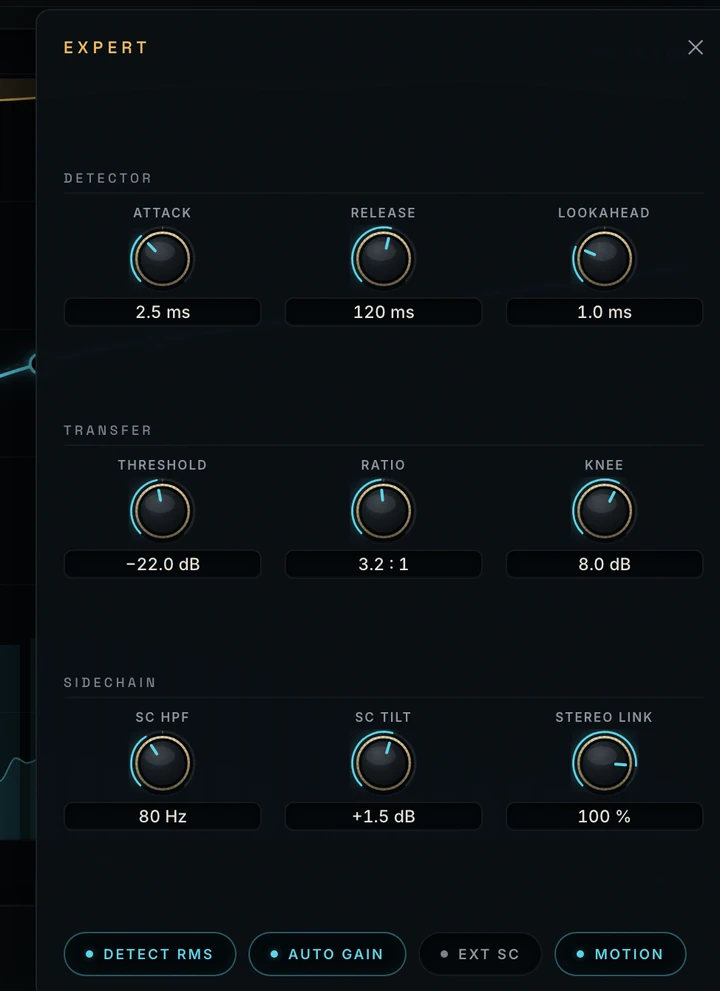
Detector, timing, and sidechain.
- Detectorattack · release · lookahead
- Transferthreshold · ratio · knee
- SidechainSC high-pass · SC tilt · stereo link
Expert controls stay available for automation and presets.
Inside the preset browser
Audition presets, compare changes, and keep the controls close while you work.

Metering
Read the gain reduction.
Input and output meters sit beside a dedicated gain-reduction meter, marked at 0, −6, −12, and −24 dB, with a live numeric readout.
- Platform
- macOS · Apple Silicon
- Formats
- Standalone app · AUv2 · VST3
- In Logic
- Manufacturer: Sonaurelis
- Session support
- Presets · automation · host recall
- Window
- 1024 × 640 minimum · resizable
- Privacy
- no cloud · no accounts · no telemetry