
Harmonic Equalizer
Luster EQ
Four broad EQ bands, with harmonic color.
Shape Weight, Body, Presence, and Air, then add harmonic color with Luster. Push adds density; Guard restrains peaks; Match helps compare levels.
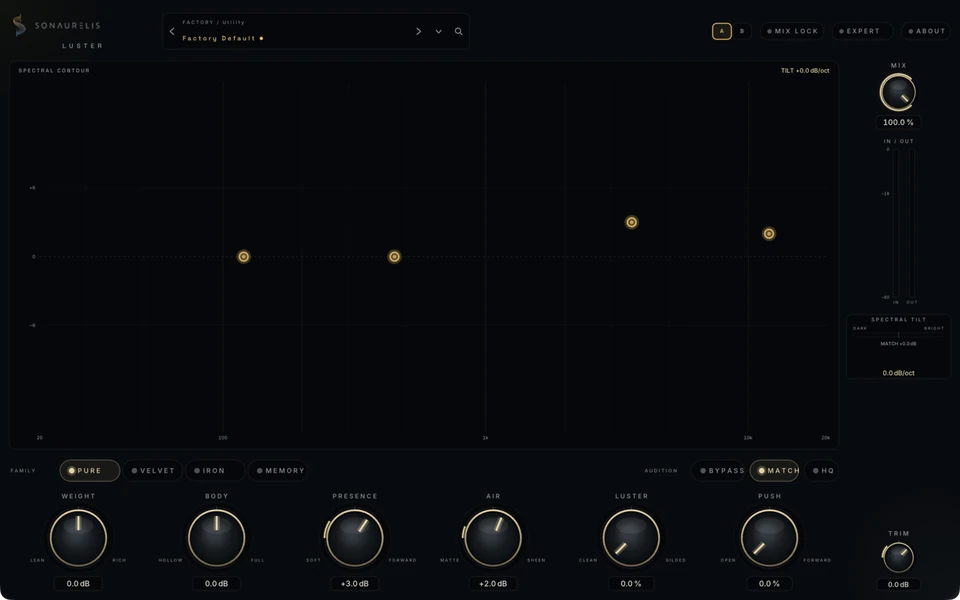
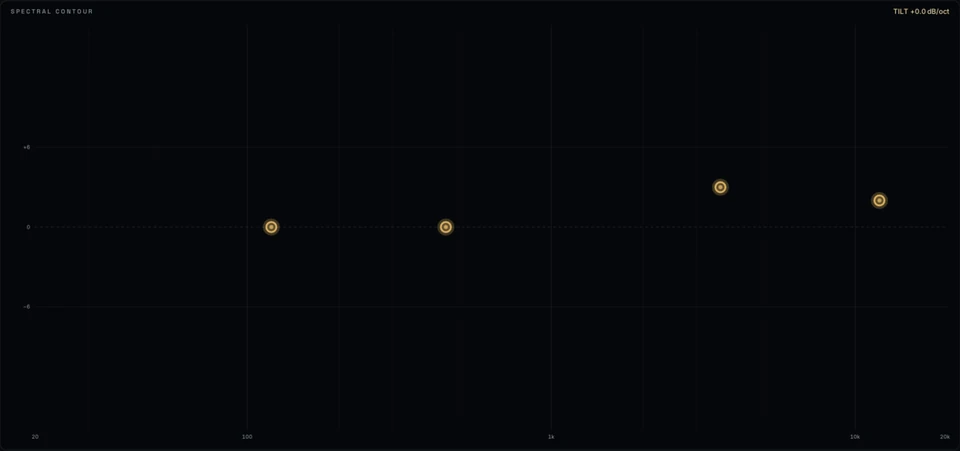

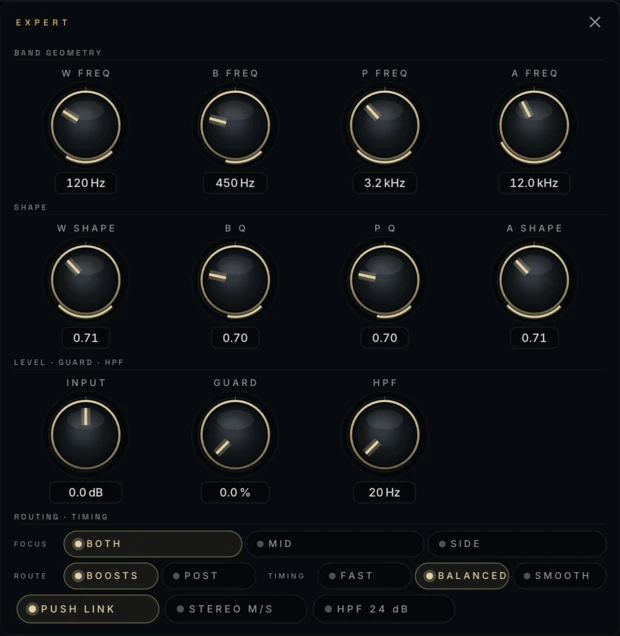
Interface capture · Luster EQImage preview · no audio processing
The display
EQ and harmonics in one view.
Weight, Body, Presence, and Air sit on the measured input and output spectra. The EQ curve is calculated from the filters that process the audio.
Apply harmonic color to boosts or across the full signal path. Match learns a level correction, holds it, and flags the result when further edits make it out of date.
- Weight, Body, Presence, and Air form the four-band tone surface
- Pure, Velvet, Iron, and Memory character families
- Bounded Push density and Guard peak restraint
- Learn-then-Hold Match with visible confidence and stale state
Controls
Four EQ bands, Luster, and Push sit on the main surface. Mix stays on the signal rail; Guard and the detailed settings live in the expert drawer.
WeightLean ↔ Grounded
The broad low foundation around the source.
BodyHollow ↔ Full
The low-mid center of the program.
PresenceSoft ↔ Forward
How close the upper mids sit to the listener.
AirMatte ↔ Sheen
The upper shelf, from dry to illuminated.
LusterPure ↔ Colored
Selective harmonic color without moving the four EQ gains.
PushOpen ↔ Dense
Up to 6 dB of bounded forward density.
Expert controls
Band shape, dynamics, and stereo.
- Band geometryfour frequencies · four Q/shape controls
- Levelinput trim · Guard sensitivity
- Character & dynamicsroute · Push timing · stereo link
- Stereo & workflowStereo/M/S · focus · Live/Studio · Match
Expert controls stay available for automation and presets.
Metering
Compare at matched levels.
Match measures the latency-aligned input and output over the same window, then holds a level correction. If you change the tone afterward, Luster marks that measurement as out of date so you know when to measure again.
- Platform
- macOS · Apple Silicon
- Formats
- Standalone app · AUv2 · VST3
- In Logic
- Manufacturer: Sonaurelis
- Session support
- Presets · automation · host recall
- Window
- 1024 × 640 minimum · resizable
- Privacy
- no cloud · no accounts · no telemetry